
Follow up while the deal's still warm.
Fathom records the call. Postlude takes it from there: the moment a sales call ends it drafts the follow-up in your voice, grounded in what was actually said, with the right deck or case study already attached. Approve it from Slack. It sends from your own inbox and logs to your CRM. All before your next call starts.
14-day free trial, no card. Works with Fathom, Gmail, Attio and GoHighLevel.
Built for agencies that run on Fathom, Attio and GoHighLevel.
- Fathom
- Gmail
- Attio
- GoHighLevel
- Slack
From the founder
I built this because I was taking six calls a day and sending my follow-ups at 6pm. By then the prospect had already talked to two other agencies.
Buddy, founder of Postlude
Slow follow-up doesn't just waste time. It loses deals.
You just ran a great discovery call. The prospect's leaning in. They told you their ad spend, what's not working, and what they'd want from an agency. You know exactly what the proposal should say.
Then your next call starts in four minutes. And another after that.
The follow-up gets written at 6pm. Or tomorrow. Or it gets a two-line “great chatting, I'll send a proposal over soon.” By the time something real lands, they've talked to two other agencies and your call is a blur.
The agency that recaps the call first — specifically, in detail, with the next step named — is the one that looks like it has its act together. Everyone else looks like an afterthought.
Momentum dies.
The prospect's excitement has a half-life. A follow-up that lands in minutes rides it. One that lands tomorrow has to rebuild it.
Your afternoon disappears.
A good follow-up takes about 10 minutes. At 5-8 calls a day, that's 50-80 minutes of writing after the calls are already over. Most days it doesn't happen. With Postlude it's already drafted when you hang up.
Things slip.
A call you forgot to follow up on. An email you sent but never logged. A pipeline in Attio or GoHighLevel that doesn't match what actually happened.
From “thanks, talk soon” to a sent email in four steps. You do one of them.
The call ends.
Fathom finishes the transcript, usually within a few minutes. Postlude picks it up automatically. Nothing to upload, nothing to forward.
The follow-up gets written. In your voice.
Postlude starts from your template for that kind of call and the tone you set, then pulls the specifics from the transcript — what they said their budget was, which two services you scoped, what you promised to send. If the call mentioned Google Ads for a dental practice, your dental case study gets linked. If something wasn't said on the call, it isn't in the email. Postlude writes around the gap instead of guessing.
You approve it from Slack.
The draft lands in your Slack. Read it between calls. If it's right, hit approve and it sends. If you want to change something, one tap opens it in Postlude. Nothing goes out without you.

Postlude App
Follow-up draft ready for Alex Rivera · Northline Dental
alex@northlinedental.example | Discovery call | Tone: Concise
Subject: Meta ads audit and the landing page fix
Hi Alex,
Thanks for walking me through the $8k a month you're spending on Meta, and the landing page that stopped converting in August. Both are fixable, and I think the landing page is the faster win.
...
It sends and logs itself.
The email goes out from your own Gmail inbox, so replies land in the thread like any other. A copy is logged as a note on the right contact in Attio or GoHighLevel. Your pipeline stays true without you touching it.
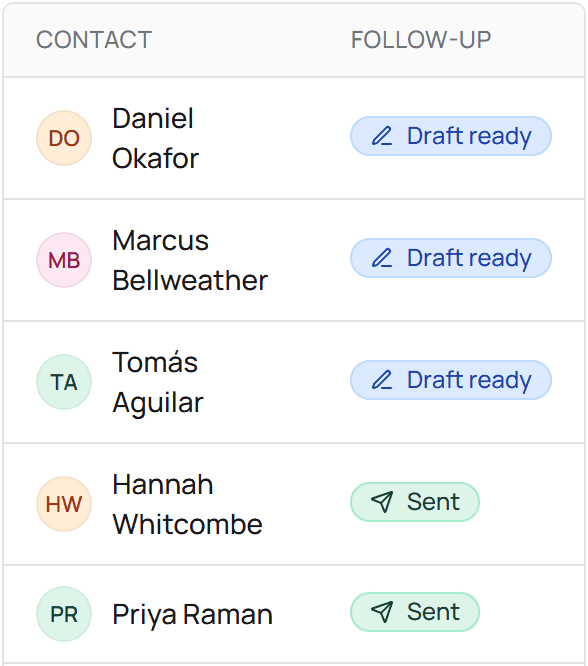
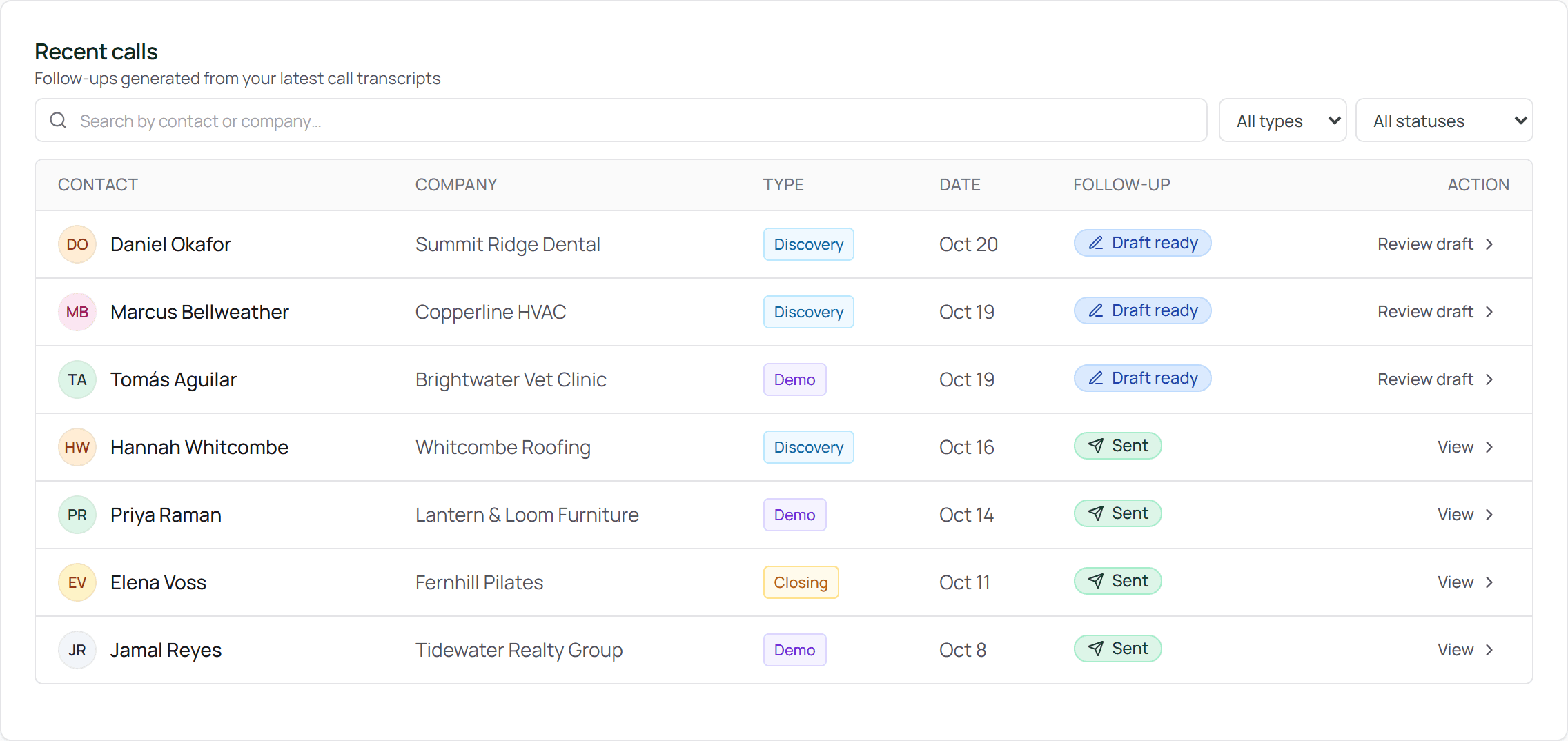
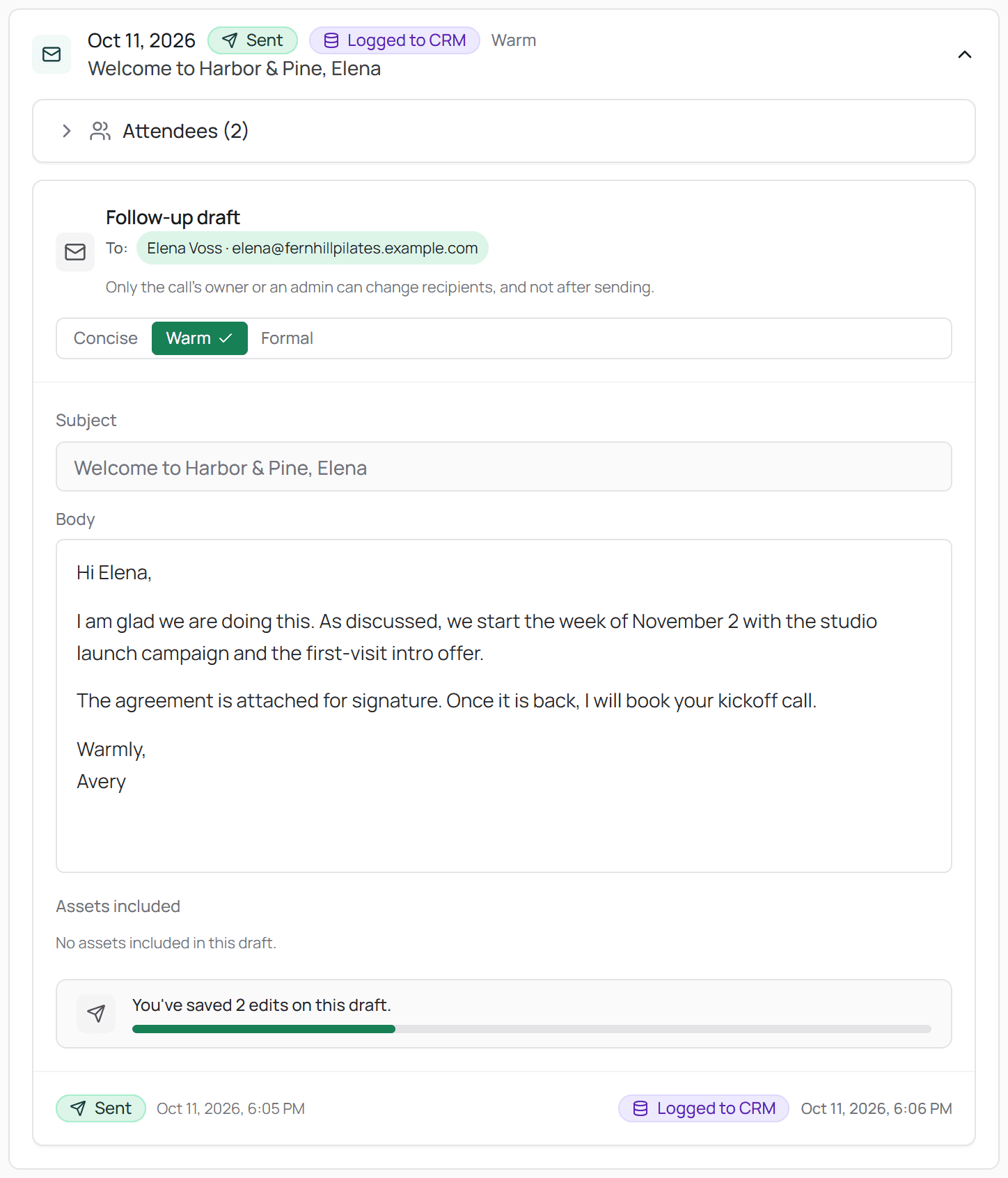
Connect Fathom, take a call, and the first draft is in Slack a few minutes after you hang up. Setup takes 10 minutes.
Built to actually get sent.
Not a generic AI recap. A draft that sounds like you and holds up to what really happened on the call.
Written in your voice. Not generic AI.
You set it up once: how you structure a follow-up, how formal you are, what your sales process looks like, what you always include and what you never say. Save a different template for each kind of call — discovery recap, proposal follow-up, the nudge after a week of silence — and pick concise, warm or formal on any draft.
Then it keeps learning. Every time you edit a draft before approving it, the edit gets saved. Postlude uses your most recent approved emails as the examples for the next one. Week one you'll tweak a lot. By week three you're mostly hitting approve.
Your prospects have read your emails before. They'll think you wrote this one too.
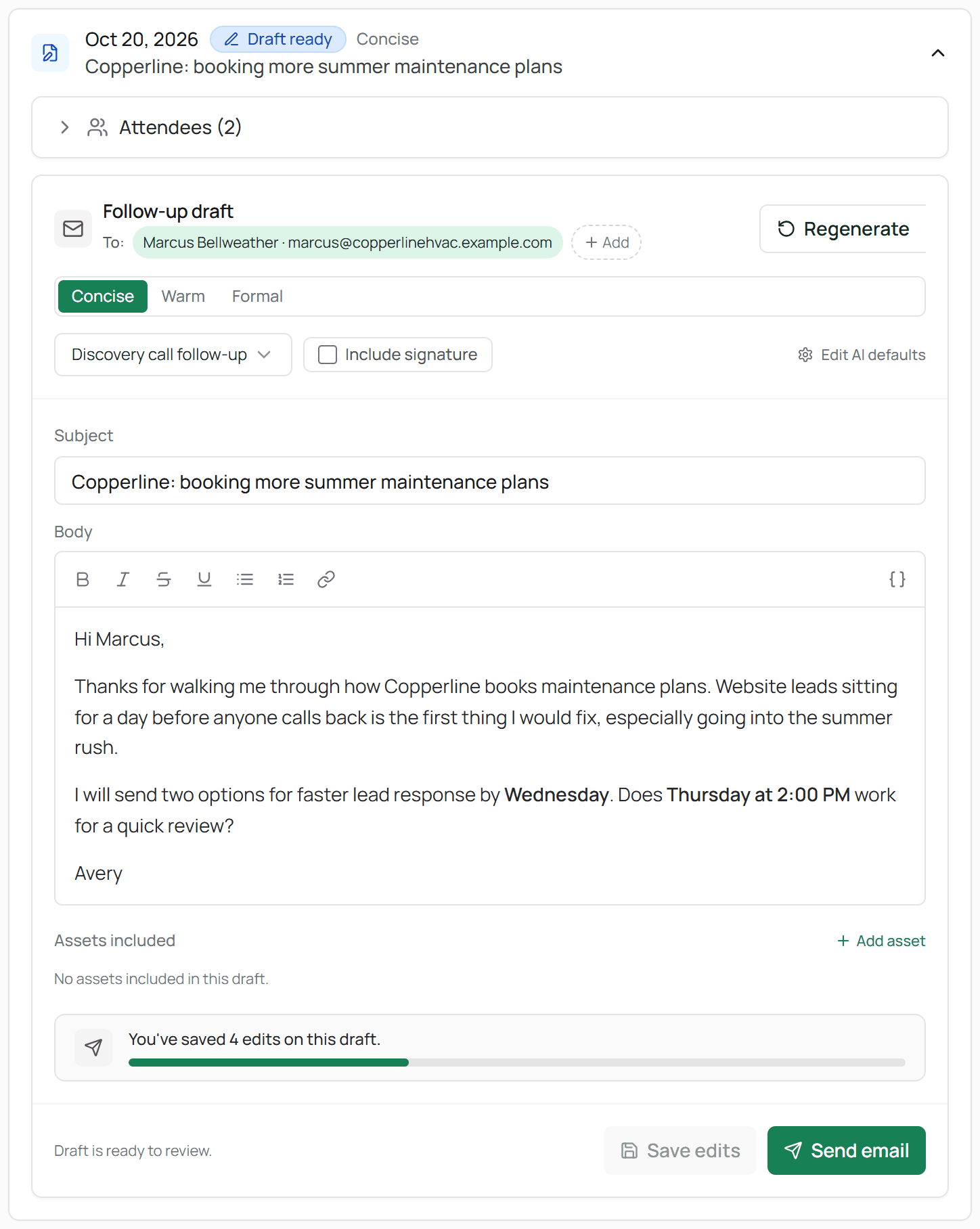
Recaps with the details prospects actually remember.
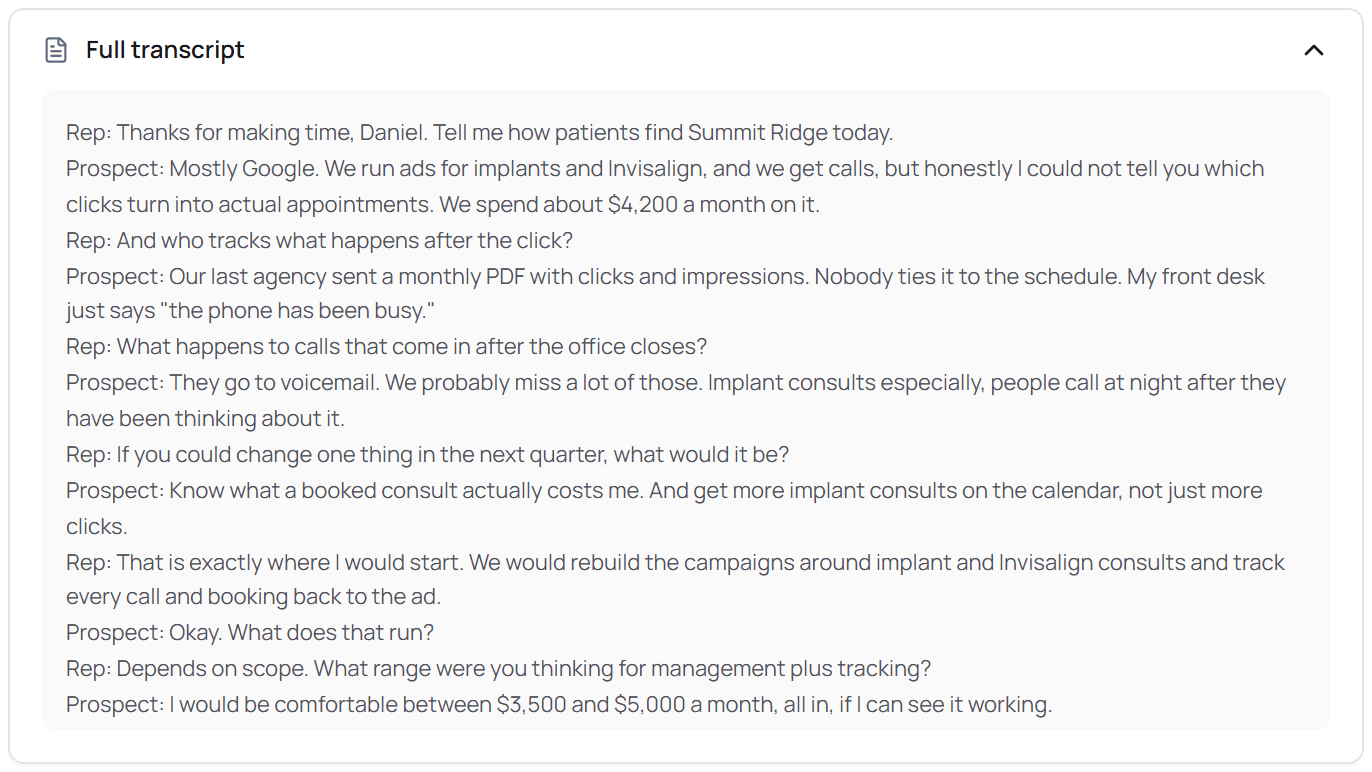
A real follow-up proves you were listening. Postlude pulls the specifics straight from the Fathom transcript — the $8k a month they're spending on Meta, the landing page that isn't converting, the two services you scoped, the date you said you'd have a proposal ready.
It has one hard rule that never gets overridden: if it wasn't said on the call, it doesn't go in the email. No invented numbers, no made-up next steps. When something's missing or unclear, Postlude writes around it instead of guessing.
Prospects notice when the follow-up gets their numbers right. They notice more when it doesn't.
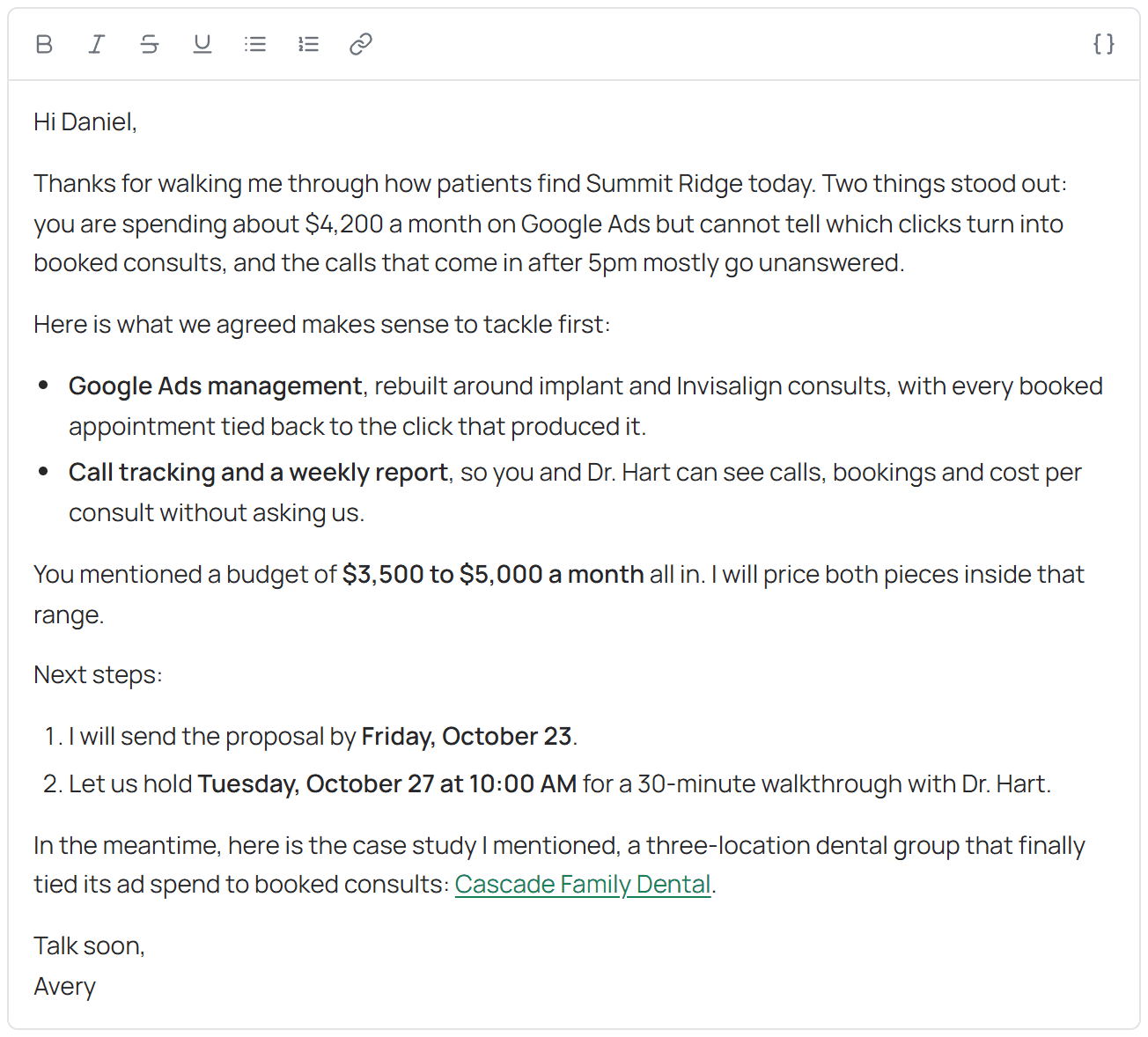
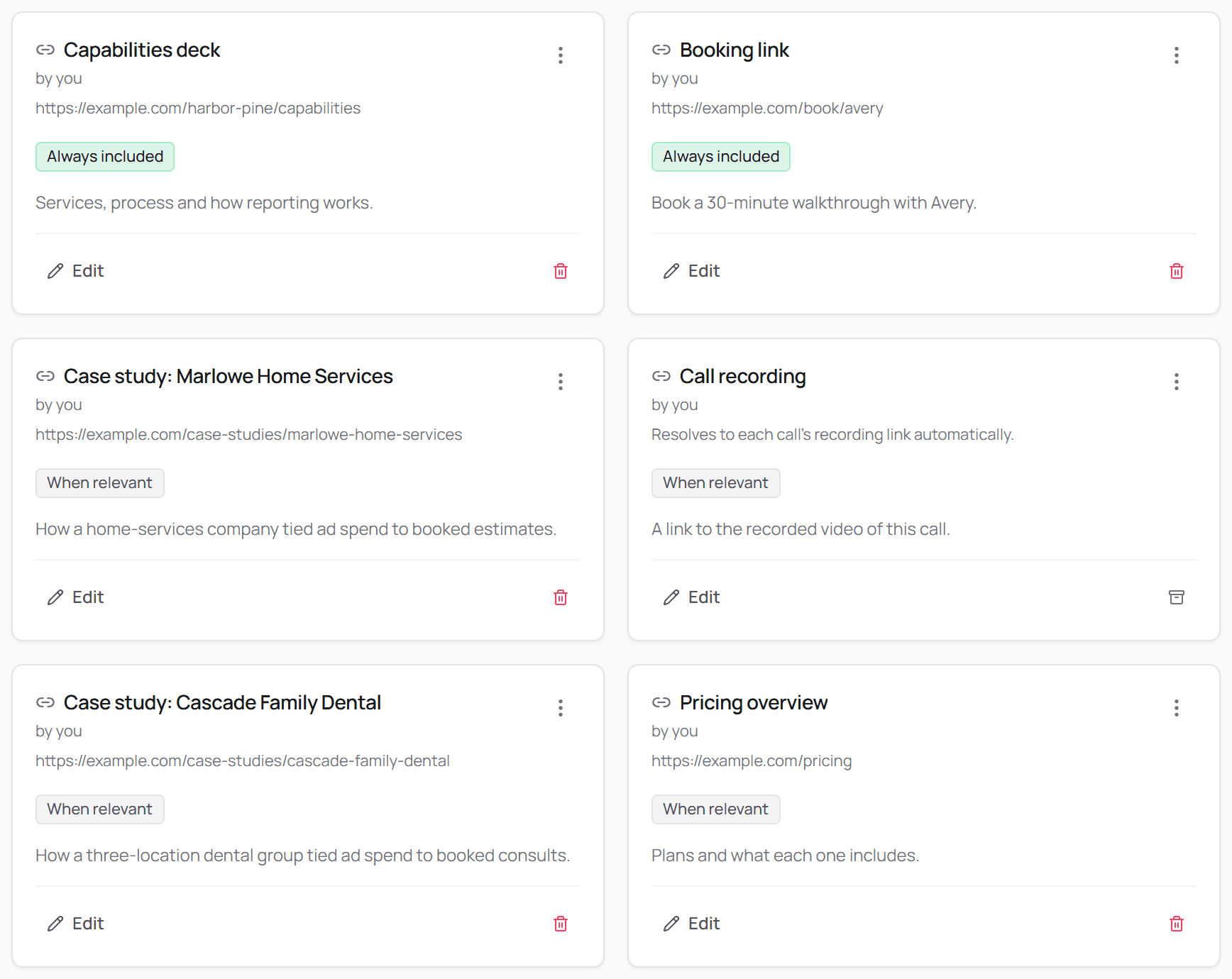
Your deck, your case studies, your calendar link. Inserted when they're relevant.
Upload the things you send over and over: the capabilities deck, the case study for your best dental client, your pricing page, your booking link. Tell Postlude what each one is for.
When a call touches on something you've got material for, it goes in the email. Prospect mentioned they run a med spa? The med spa case study shows up. They asked about pricing? The pricing link's in there.
Add the call recording as an asset and set it to always include, and every draft carries a link your prospect can forward to the partner or owner who wasn't on the call.
Stop digging through Drive for the deck. It's already in the email.
Read it, approve it, sent. Without leaving Slack.
When a draft's ready, it lands in Slack. Read it in the 90 seconds between calls. If it's right, hit approve and it sends from your inbox. Need a change? One tap opens it in Postlude, where you can edit it or switch the tone before you send.
Nothing goes to a prospect without your okay. That's not a setting you turn on. It's just how Postlude works.
Postlude App
Follow-up draft ready for Alex Rivera · Northline Dental
alex@northlinedental.example | Discovery call | Tone: Concise
Subject: Meta ads audit and the landing page fix
Hi Alex,
Thanks for walking me through the $8k a month you're spending on Meta, and the landing page that stopped converting in August. Both are fixable, and I think the landing page is the faster win.
Here's what we scoped on the call: a two-week audit of the ad account, then a rebuilt landing page with the booking form above the fold. The dental practice case study shows how that played out for a similar clinic.
I'll send the proposal by Thursday, as promised. Does Wednesday at 2pm work for a quick review before then?
Best, Sam
Illustration of the card Postlude posts to Slack.
You're still the one hitting send. You just don't have to write the email first.
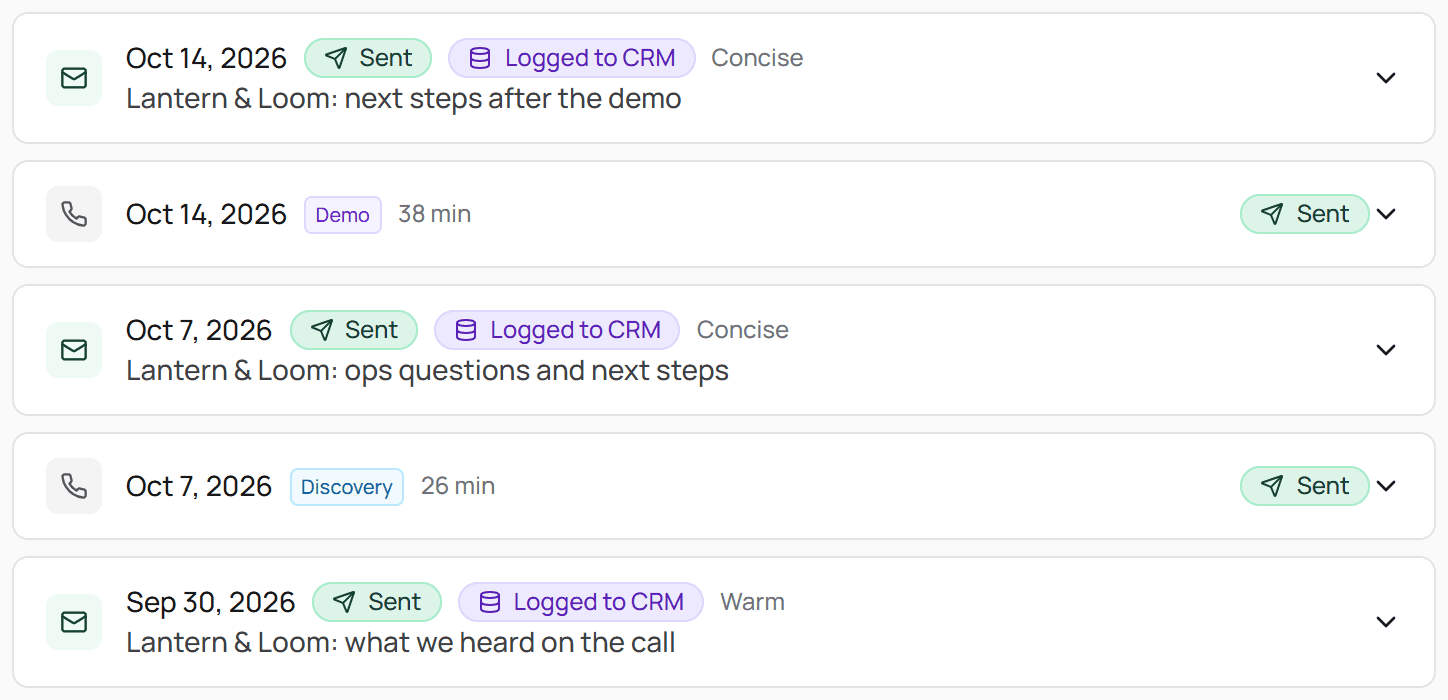
Every follow-up on the right contact in Attio or GoHighLevel.
When the email sends, Postlude logs it as a note on the right contact in Attio or GoHighLevel. No copy-pasting into the CRM. No "I'll log it later" that turns into never. Your pipeline shows what actually happened on every deal, and your cofounder or your team can see it without asking you.
The CRM finally matches your inbox.
Get your afternoons back. Keep the deals you're currently losing to “I'll send that over tomorrow.”
10 min → 2 min
Per follow-up. Read it, approve it, done.
~1 hr / day
Back in your calendar, at 5-8 calls a day.
Minutes, not hours
From the call ending to the follow-up in their inbox.
The math is simple. A good follow-up takes about 10 minutes to write. Reading and approving a Postlude draft takes about 2. That's 8 minutes back per call. At 5-8 calls a day, it's about an hour a day and 4-5 hours a week.
That's a full morning back every week. For the proposal, the next call, or going home on time.
The bigger number is the one you can't see on a timesheet: the deal that went cold because the follow-up landed a day late. If Postlude keeps one of those warm a quarter, it's paid for itself many times over. Postlude starts at $29 a month. One deal that stays warm covers a year of it.
Questions
Your next call ends in an hour. Have the follow-up done before the one after it starts.
Connect Fathom. Take a call. Watch the draft show up in Slack.
14-day free trial. No card required. Works with Fathom, Gmail, Attio and GoHighLevel.